

Wallets and NFTs
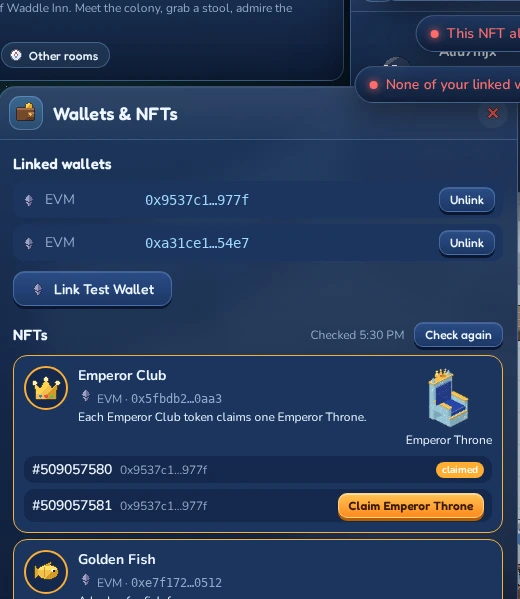
Your penguin can have more than one wallet: one for signing in, others that hold your LUNC Penguins or Land Deeds. Everything about them lives in one window, opened with Wallets & NFTs in your penguin menu (click your name at the right end of the toolbar).
The window lists your Linked wallets, with buttons below to link more.
Linked wallets
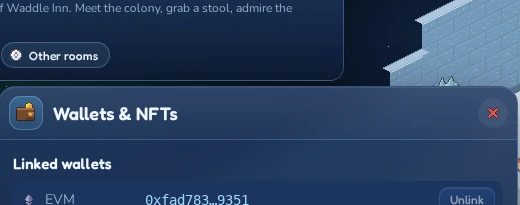
Linked wallets lists every wallet that belongs to your penguin, with its chain ( Terra Classic,
  EVM or
  Solana) and a shortened address. Hold your mouse over an address to see it in full.
Every linked wallet works the same way:
- You can sign in with it. Any of your linked wallets brings you back to the same penguin, from any browser.
- Its NFTs count. The inn looks for NFTs in all of your linked wallets.
You can link up to 10 wallets, on any mix of chains.
Linking a wallet
Under Link a wallet there are two tabs. Browser extension has a button for every wallet extension the inn finds in your browser, for example MetaMask or Keplr. While it’s looking, the window says Looking for wallets…; if it finds none, it says No wallet extension found in this browser. and the WalletConnect tab opens instead.
Terra Classic phone wallets connect on the WalletConnect tab: LUNCDash and Station Mobile are always offered. Pick one, scan the QR code with the app (on a phone the app opens by itself) and approve there. A wallet that has never sent a transaction can’t sign over WalletConnect yet: send any small transaction from it first.
- In your wallet extension, switch to the account you want to link.
- Click the wallet’s button. The window shows Connecting …, then Sign the message in your wallet….
- Approve the message in your wallet. Like signing in, this only proves that the address is yours. It never sends a transaction and costs nothing.
The wallet appears in the list, and the inn checks it for NFTs straight away.
Keeping a guest penguin
If you’re playing as a guest, the window tells you: You are playing as a guest. Link a wallet or your Google account to keep this penguin, its Krill and furni: you can then sign in with it from any browser.
Link a wallet as described above and your guest becomes a permanent penguin, with its name, look, Krill, furni, rooms and friends. The inn confirms it with Wallet linked: this penguin is yours to keep. From then on, sign in with that wallet instead of Play as guest.
No wallet? Click Keep with Google under the message instead. Pick your Google account and confirm, and the inn brings you back to the same penguin, now kept for good. From then on, click Sign in with Google on the sign-in screen. A Google account that already has a penguin of its own can’t keep a second one (That Google account already has a penguin of its own. Sign in with it instead.).
Signing in with Google
If you sign in with Google, the window reminds you that wearing a LUNC Penguin and claiming NFT furni need a linked wallet. Link a wallet as described above whenever you like: afterwards both Google and the wallet bring you to the same penguin. A wallet that already belongs to another penguin can’t be linked, and it stays with that penguin.
Unlinking a wallet
Click Unlink next to a wallet to remove it from your penguin. You can no longer sign in with it, pay from it, or use its NFTs. The wallet itself and everything in it stay untouched.
Your last wallet can’t be unlinked, because you sign in with it: its Unlink button is greyed out (Your last wallet stays linked: you sign in with it.). Link another wallet first if you want to swap.
When linking fails
| Message | What it means |
|---|---|
| That wallet already belongs to another penguin. | Each wallet can belong to only one penguin. If it’s yours, sign in with it to play that penguin. |
| That wallet is already linked to your account. | It’s already in your list. |
| You can link at most 10 wallets. | Unlink one you no longer use first. |
| You cancelled the request in your wallet. | You rejected the message. Click the wallet’s button again and approve it. |
| The request expired. Try again. | You took a while to sign. Just start again. |
| Too many attempts. Wait a few seconds and try again. | Slow down a little. |
Wearing a LUNC Penguin
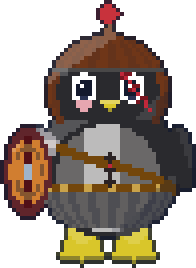
LUNC Penguins are an NFT collection on Terra Classic. Every LUNC Penguin has its own mix of traits: a feather style, armour or clothes, a helmet, a weapon and a shield. If you hold one, your penguin can wear its complete look in the inn: everyone sees your penguin in that penguin’s gear.
 #1500
#1500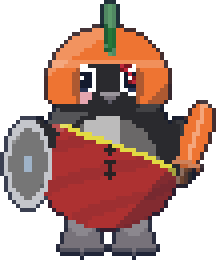 #5001
#5001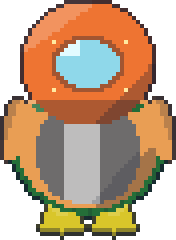 #7
#7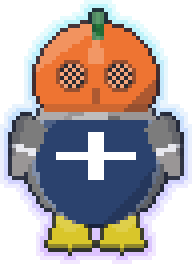 #42
#42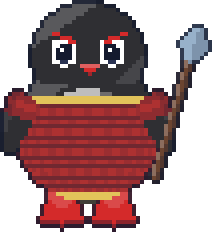 #333
#333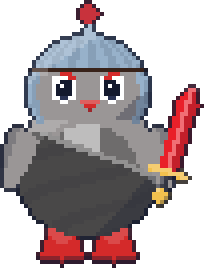 #2048
#2048Looks come only as a whole: you can’t pick single traits, and you can only wear a LUNC Penguin that one of your linked Terra Classic wallets holds.
- Open the editor: on your first visit it opens by itself, later click
 Penguin in the toolbar.
 - Click My LUNC Penguins. The inn looks up your linked Terra Classic wallets (Looking for your LUNC Penguins on Terra Classic…) and shows every LUNC Penguin they hold, with its number and rarity.
- Click the one you want to wear. The preview shows your penguin in its look.
- Click Save (or Waddle in on your first visit). The inn checks on the chain that you still hold it, then everyone in the room sees your new look.
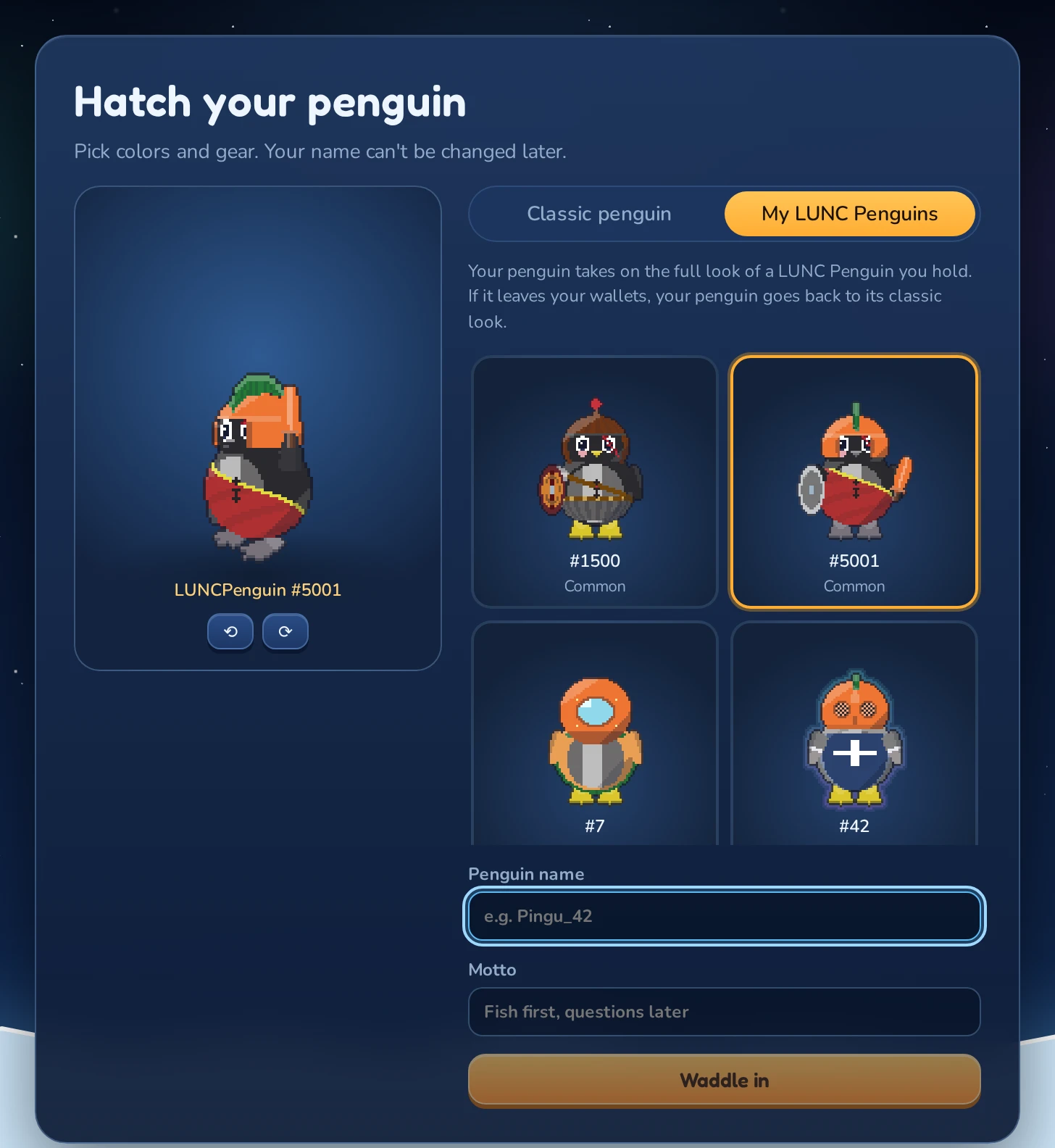
To go back to your own colors and items, click Classic penguin and Save. Your classic look is kept while you wear a LUNC Penguin, so it’s still there (unless you merge your Classic into it).
Each LUNC Penguin is a penguin of its own in the inn, with its own Krill and things, separate from your Classic penguin: switching changes which one you play. See Rules: selling, transferring and merging.
If the penguin you wear belongs to a clan, you also carry that clan on Moon Isle. The Clan tab in the same window shows your penguins’ clans, and there you can join a clan, leave one or claim clan rewards (see Clans in the Moon Isle chapter).
On Moon Isle the penguin’s armour, helmet, weapon and shield are real gear, as strong as the rarity of the penguin (see Your LUNC Penguin’s gear).
Guests can’t wear LUNC Penguins: link the Terra Classic wallet that holds yours first (see Linking a wallet).
| Message | What it means |
|---|---|
| None of your linked Terra wallets holds a LUNC Penguin. | Link the Terra Classic wallet that holds yours. |
| None of your linked Terra wallets holds this LUNC Penguin. | It has moved since the list was loaded. Pick another one. |
| The Terra Classic chain could not be reached. Try again in a moment. | The inn couldn’t ask the blockchain. Click Retry, or try again later. |
| Pick one of your LUNC Penguins, or switch back to Classic. | You clicked Save in My LUNC Penguins without choosing one. |
Trading LUNC Penguins
The Penguin Exchange is the inn’s trading floor for LUNC Penguins. Outside the Inn, click the kiosk under the ticker board right of the path, or pick Penguin Exchange from the public rooms in the  Rooms window. Click one of the Penguin Exchange Terminals and then Trade penguins (or double-click the terminal).
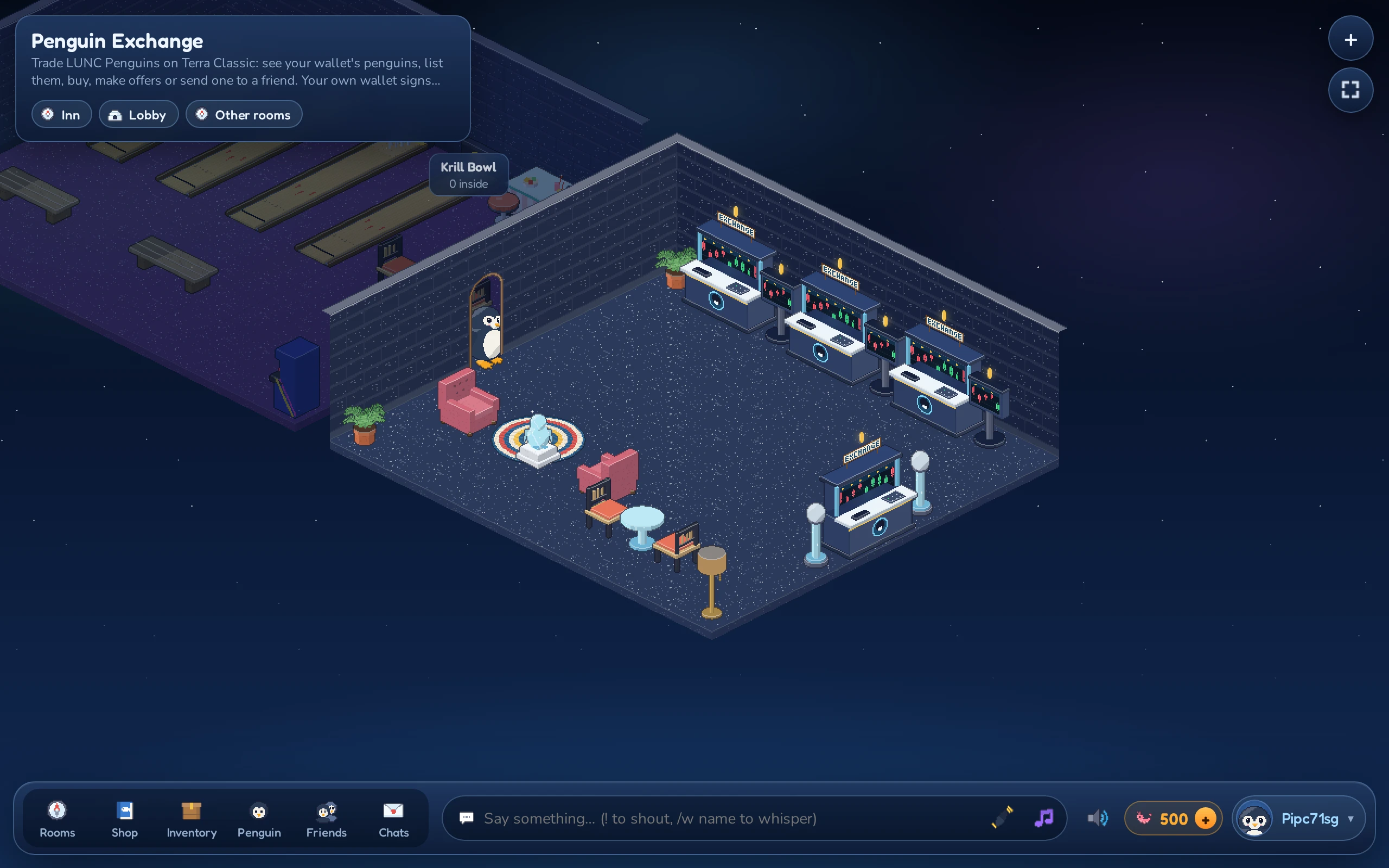
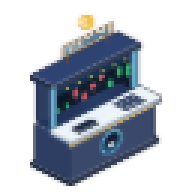 Penguin Exchange Terminal
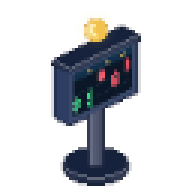 Penguin Price Board
Every trade happens on the Terra Classic chain, through the same market contract the LUNC Penguins collection uses on its own website. The inn never holds your penguins or your LUNC. Each listing, purchase, offer or transfer is a transaction that your own wallet shows you and that you sign yourself; the inn only reads the chain afterwards to show what happened. You pay the usual small network fee in LUNC for each one.
The exchange window
The window has three tabs:
- My penguins: every LUNC Penguin your linked Terra Classic wallets hold, with its price if it’s for sale and the number of offers on it.
- For sale: every LUNC Penguin up for sale, cheapest first.
- My offers: the penguins you’ve made offers on.
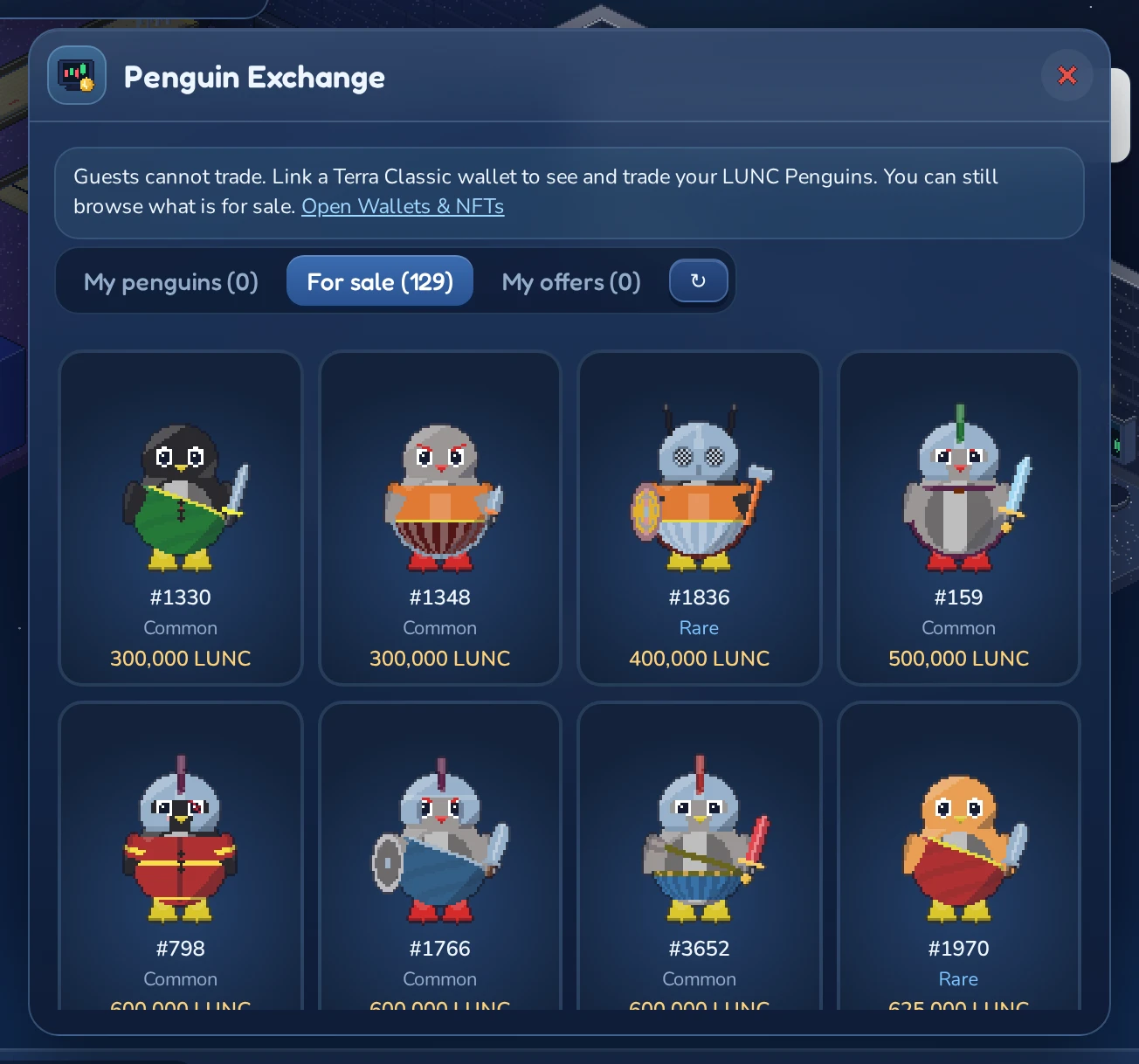
Click a penguin to see its page: its number, rarity and feather style, its owner, its price and the offers on it, plus what you can do with it. The ↻ button reads the chain again.
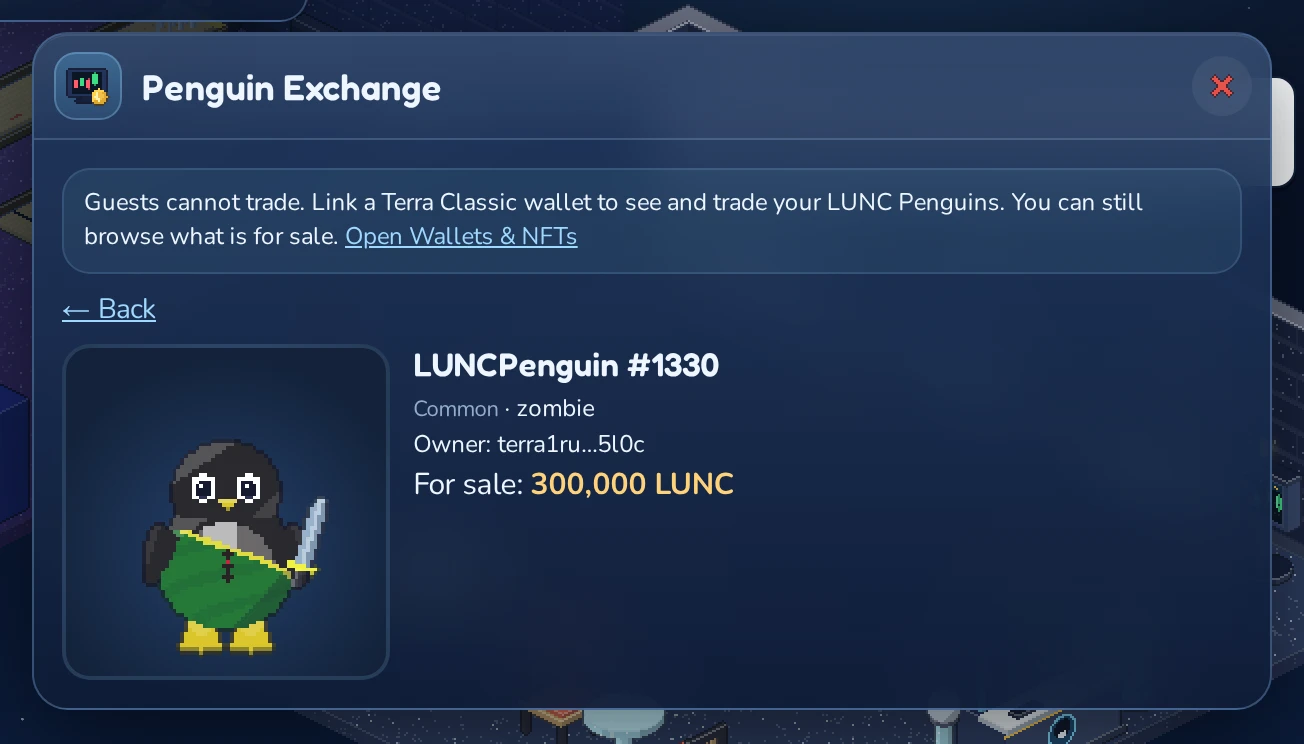
When you start a trade, the window first checks the penguin on the chain again (Checking the penguin on chain…), then asks your wallet (Confirm the transaction in your wallet…). After you approve it, the window waits for the next block and then confirms: Done: LUNCPenguin #1330 is yours (300,000 LUNC). The link next to it opens the transaction in a block explorer. Sales, new listings and offers are announced by the terminal to everyone in the room.
Selling your penguin
- Open My penguins and click the penguin.
- Type a price in LUNC under Sell and click List for sale. The window shows what you get: the collection takes a 5% royalty and the market a 0.5% fee from every sale.
- Approve the transaction in your wallet.
The penguin stays in your wallet while it’s for sale. To change the price, type the new one and click Update; Take off sale ends the sale.
Buying a penguin
Open For sale, click a penguin and click Buy for …. You pay exactly the price shown; if the seller changed it in the meantime, the window stops and tells you (The price changed to … Check it and buy again.). The penguin goes straight to your wallet, and you can wear its look right away (see Wearing a LUNC Penguin).
Offers
Too pricey? Type an amount under Make an offer and click Offer. The LUNC is locked in the market contract until the owner accepts or rejects your offer, or you click Take back. Offers from one wallet add up, and together they can’t go above the penguin’s price. You can also make offers on penguins that aren’t for sale.
The owner sees all offers on the penguin’s page under Offers on your penguin, with what they’d get after royalty and fee, and can Accept or Reject each one. Accepting sells the penguin at that price; rejecting returns the LUNC to the bidder.
Sending a penguin
To give a penguin to a friend or move it to another wallet of yours, type the terra1… address under Send, tick I checked the address, and click Send. Sending is final: there is no way to get a penguin back from a wrong address. It also ends its sale and returns every offer on it.
When a trade fails
| Message | What it means |
|---|---|
| You cancelled the transaction in your wallet. | You rejected the transaction in your wallet. Nothing happened. |
| This penguin has changed hands. / This penguin is no longer for sale. | Somebody was quicker. Go ← Back and click ↻ to see the current state. |
| The price changed to … | The seller changed the price since you opened the page. Check it and buy again. |
| Offers cannot go above the price … | Your offers together would be more than the price. Buy it instead. |
| This offer has changed or was withdrawn. | The bidder changed or took back the offer before you accepted it. |
| No Terra Classic wallet extension … was found in this browser. | Install or unlock your wallet extension, then reload. |
Trading Land Deeds
The Penguin Exchange trades Land Deeds too, through the deeds’ own market contract on Terra Classic. Switch to Land Deeds at the top of the exchange window: the tabs, prices, offers, sending and wallet steps work just like for penguins, and each deed shows its igloo, rarity, lot size and resources. When a deed changes hands, its igloo on the Igloo Terrace passes to the new holder right away (see Igloo homes).
What NFT holders get
Everybody can play the inn and Moon Isle without any NFT: a wallet is only needed to sign in and keep your penguin. Holding a LUNC Penguin or a Land Deed adds the perks below. Both collections live on Terra Classic, and for now that’s the only chain you can buy them on: the inn is looking into other chains, but none is planned yet. Buy them at the Penguin Exchange or on the collections’ own website, and link the Terra Classic wallet that holds them (see Linking a wallet).
LUNC Penguin holders
- A penguin of its own with its full look. Wear the token’s complete look in the inn and on Moon Isle (see Wearing a LUNC Penguin). Each LUNC Penguin is its own penguin with its own Krill and things (see Rules: selling, transferring and merging).
- 500 starter Krill. The first time a LUNC Penguin is worn in the inn, it starts with 500 Krill.
- Real gear on Moon Isle. The penguin’s armour, helmet, weapon and shield fight as driftwood, ice, moonstone, aurora or starfall gear, by rarity, with no level needed. It wears out and is mended at the blacksmith, often for less than the matching shop piece would cost. See Your LUNC Penguin’s gear.
- Its clan. A penguin that belongs to a clan carries it on Moon Isle, with the clan’s banner, ranks and rewards (see Clans).
- An aura, on some. A LUNC Penguin with the aura body shares up to 25% of its gear’s special effects with clanmates within 5 tiles on Moon Isle (see Aura penguins).
- A cabinet without a limit. A classic penguin’s cabinet holds 50 things; a LUNC Penguin’s has room for all of them.
- 10% off vehicle rentals while you wear it (see Renting a vehicle).
- The cable car to the Headroom, the party lounge in the Moon Penguin’s head: open to everyone with a LUNC Penguin in a linked Terra Classic wallet, worn or not. 10 Krill up, free down. See The cable car.
- One merge of your Classic. Once per account you can merge your classic penguin’s Krill, things and skills into a LUNC Penguin (see Merging your Classic into a LUNC Penguin).
- A rarity pip on your name tag. A small dot in your penguin’s rarity colour sits after your name, over your head, on your card in a room and on your profile.
- A profile showcase. Pick a frame (ice, aurora, coral or starfall) and a gently moving backdrop (aurora, snowfall or tide) for your penguin on its profile card, in the Perks tab of the Penguin window. The backdrop holds still if your device asks for reduced motion.
- Five holder emotes. Bow, applause, twirl, a belly laugh and the Kipper Flipper, where your penguin juggles two krill and a herring over its head. Pick one from the
 Holder emotes button by the chat box, or type
 :bow,:clap,:twirl,:lolor:jugglein the chat. All five work in rooms, and the Kipper Flipper works on Moon Isle too, on foot and out of a fight. Stand still to do one; then catch your breath for 10 seconds. - Vehicle paint. Choose midnight, aurora, ember or frost paint in the Perks tab, and every vehicle you rent on Moon Isle wears it. Same speed, same price.
- Room effects. In a room you own (an Inn room, or your igloo through its land deed) switch on ghost wisps or aurora with snowfall drifting along the walls, in the room’s settings. Everyone in the room sees it. It stays if your LUNC Penguin moves on; then you can still switch it off, but not pick a new one.
- More Exchange listings. Up to 35 things for sale at once at the Grand Exchange instead of 20, and up to 35 resource lots at the Isle’s Grand Exchange instead of 20. The fees are the same.
- Two premium room plans. The Aurora Terrace (35 penguins) and the Moonlit Rotunda (40 penguins) when you create a room. A room built from one is yours to keep and use, even without the NFT later.
- A season keepsake. During each seasonal event, claim one free keepsake for your penguin on the season shelf of the shop: a little charm floating by your head. Looks only: it cannot be sold, traded or dropped. Choose which one to show in the Perks tab.
- They stay with the penguin. Your showcase, paint and keepsakes belong to the LUNC Penguin, so if you sell it they all go to its next owner, and a keepsake can be claimed once per penguin per season. All these extras are looks or convenience only: no XP, drops, lower fees, speed or carrying room.
Land Deed holders
- An igloo home on the Igloo Terrace. Each deed builds one igloo on a free lot of the Upper Ring, for good. The rarer the deed, the bigger the lot (4×4 up to 9×9 tiles), the room inside (10×10 up to 20×20) and the more looks to choose from. The deed’s resources add trims; a ⭐ deed’s igloo sparkles and flies a flag. You can change the look later, but not the lot. See Igloo homes.
- A room of your own on Moon Isle. Furnish it, lock it, give it a password or build rights, like your rooms in the inn.
- A daily harvest. Each igloo yields its deed’s resources once a day (more for rarer deeds, one more of each for ⭐), for the workshop’s land furni, the blacksmith or the Isle Grand Exchange. See The daily harvest and the workshop.
- Tips and prize pots. Tip jars in your igloo pay you, and prize pots put Krill on your igloo’s games (see Tip jars and prize pots).
- A place in the igloo ranking of the most visited igloos (see The igloo ranking).
- A share of the Land Pool. 1% of every fee the inn takes is shared among the lived-in igloos, more for bigger, rarer lots (a legendary igloo gets ten times a common one’s share). Collect it at the Land Bank on the north side of the upper ring. See The Land Bank and the Land Pool.
Rules: selling, transferring and merging
Everything belongs to the penguin
Your account can have several penguins: your Classic penguin and every LUNC Penguin you wear. Each one keeps its own:
- Krill, and all its things: the inventory, the cabinet, what it carries and the furni it has placed in rooms
- Moon Isle progress: skills and XP, gear, resources, vehicle rentals and seasonal rares
- its Grand Exchange and Isle Grand Exchange offers, and its prize pots
Your account keeps your name, motto, rooms, igloos, friends, room rights and records, whichever penguin you wear. Krill and things never move between your own penguins (the one exception is merging your Classic); to share them, trade with another player.
Switching penguins
You can switch penguins (in the editor or on the Clan tab) only at the Inn: in a room, not out on Moon Isle, and not during an open trade. Leave the island or finish the trade first.
Selling or sending a LUNC Penguin
A sale or transfer moves everything. When a LUNC Penguin leaves your linked wallets, or somebody else wears it, all its Krill, things, XP, gear, resources, rentals, cooldowns and seasonal rares go with it. The next holder gets all of it when they wear the penguin.
When it leaves you:
- Its Grand Exchange offers come down: the things go back to its cabinet, the resources back to the penguin.
- Its furni placed in your rooms goes into its cabinet.
- Its prize pots close and give every entrant their fee back.
- If you were wearing it, your account goes back to your Classic penguin. If you’re online, you’re walked out of Moon Isle to the Inn, an open trade is cancelled, and the inn tells you why.
A staked LUNC Penguin stays in your wallet and still counts as yours. It just can’t be sold or sent until you unstake it.
The first week of a new account
For its first week, a new account can receive in trades, but it can’t give furni or Krill in trades, buy or sell at market stalls, tip, enter or add Krill to prize pots, or merge its Classic. This keeps fresh accounts from being used to pass things on (see Trading).
Selling or sending a Land Deed
The igloo follows the deed. The new holder moves into an empty igloo on the same lot, and the furni from the old igloo goes back to whoever owned it. What the igloo earned from the Land Pool while it was yours stays yours: collect it at the Land Bank under From igloos you used to live in.
Merging your Classic into a LUNC Penguin
Once per account, you can merge your classic penguin into a LUNC Penguin:
- Go to the Inn (not Moon Isle) and open the Penguin editor.
- Under My LUNC Penguins, put on the penguin you want and click Save. The window closes.
- Open the Penguin editor again, go to My LUNC Penguins, click Merge my Classic into #…, read what happens and confirm.
You need a linked Terra Classic wallet that holds the penguin, and your account must be at least a week old.
A LUNC Penguin that has already taken a merge shows a Combined label in the editor, on its profile card and at the Penguin Exchange, so a buyer knows before buying.
Into a penguin that was never combined:
- Your Classic’s Krill is added to the LUNC Penguin’s.
- Its inventory, cabinet and carried things go into the LUNC Penguin’s cabinet; furni it placed in rooms stays where it is.
- Its Grand Exchange offers, prize pots, resources and vehicle rentals move over (of two rentals of the same vehicle, the later end counts). Its seasonal rares come along with its other things.
- For each skill, the higher XP counts.
Into a penguin that is already Combined:
The editor warns you first. Only higher skills merge. Your Classic’s Krill and things are lost, along with its offers, resources and rentals, and its prize pots close and refund their entrants.
Either way, your Classic and its look are gone for good, and the LUNC Penguin is now Combined. If you later take the LUNC Penguin off, or it leaves your wallets, you get a new, empty Classic: default look, starting skills (combat level 3), 0 Krill, no starter Krill, and no second merge.