

Moon Isle
Beyond the stone gate outside the inn lies Moon Isle, an island floating in the sky. It is one big open world that every penguin shares: woods and meadows on the ground, two rings of land high up round the giant Moon Penguin statue in the middle, and paths, bridges and cable cars in between. Land Deed holders can build an igloo home there. Besides the blacksmith’s, the magician’s stand and two vehicle rentals, there is the Isle Grand Exchange for trading gear and resources, and a kayak and gear from the inn shop come along. Go for a walk, meet other penguins, look around and test your strength against the island’s creatures.
Getting there
Outside the inn, click the stone gate right of the Penguin Exchange kiosk, under the sign Moon Isle. You step through and land on one of the two portal islets, small islands east and west of Moon Isle, each joined to it by a wooden bridge. Guests can come along too.
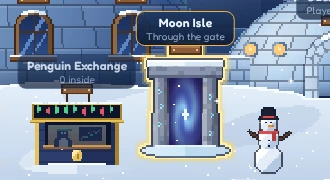
The next time you step through the gate, you come back to the spot where you left the island.
Walking around
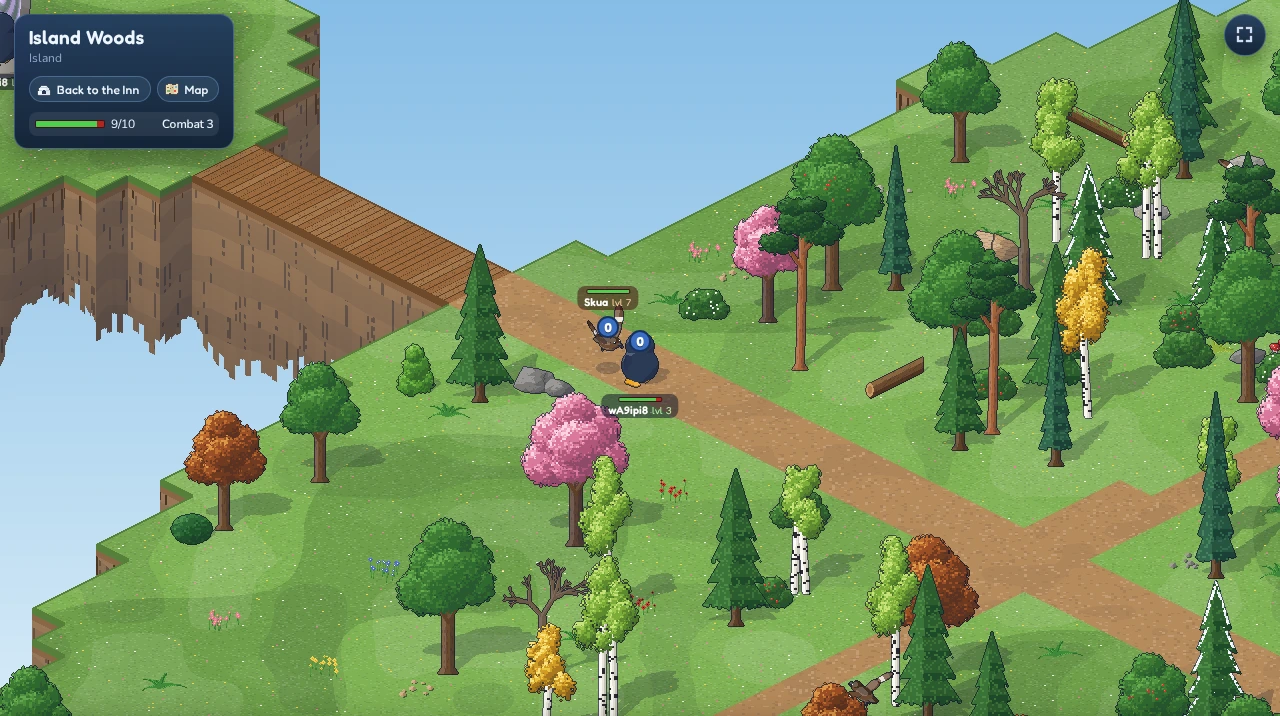
Moon Isle works like a very large room. Click the ground to walk there, and the view follows your penguin. Drag the ground with the mouse to look further ahead, and use the mouse wheel to zoom in and out. As soon as you start walking, the view swings back to your penguin.
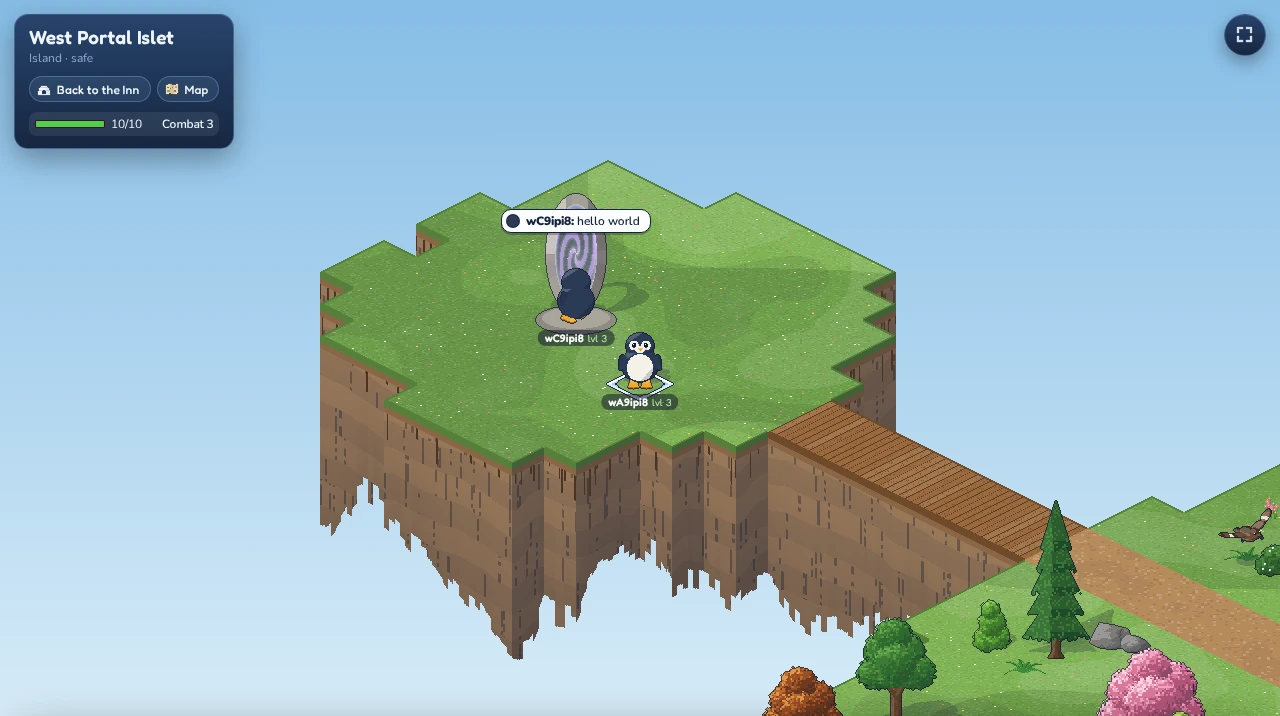
You can’t walk off a cliff or into the water. If you click a spot you can’t reach, your penguin walks to the closest place it can get to. If you have dragged the view far away from your penguin, a click there can be too far for one walk and nothing happens: walk there in steps.
The box in the top-left corner shows the part of the island you are in, which level you are on and whether the place is safe. A short note at the top of the screen tells you when you walk into a new part.
Up to the rings
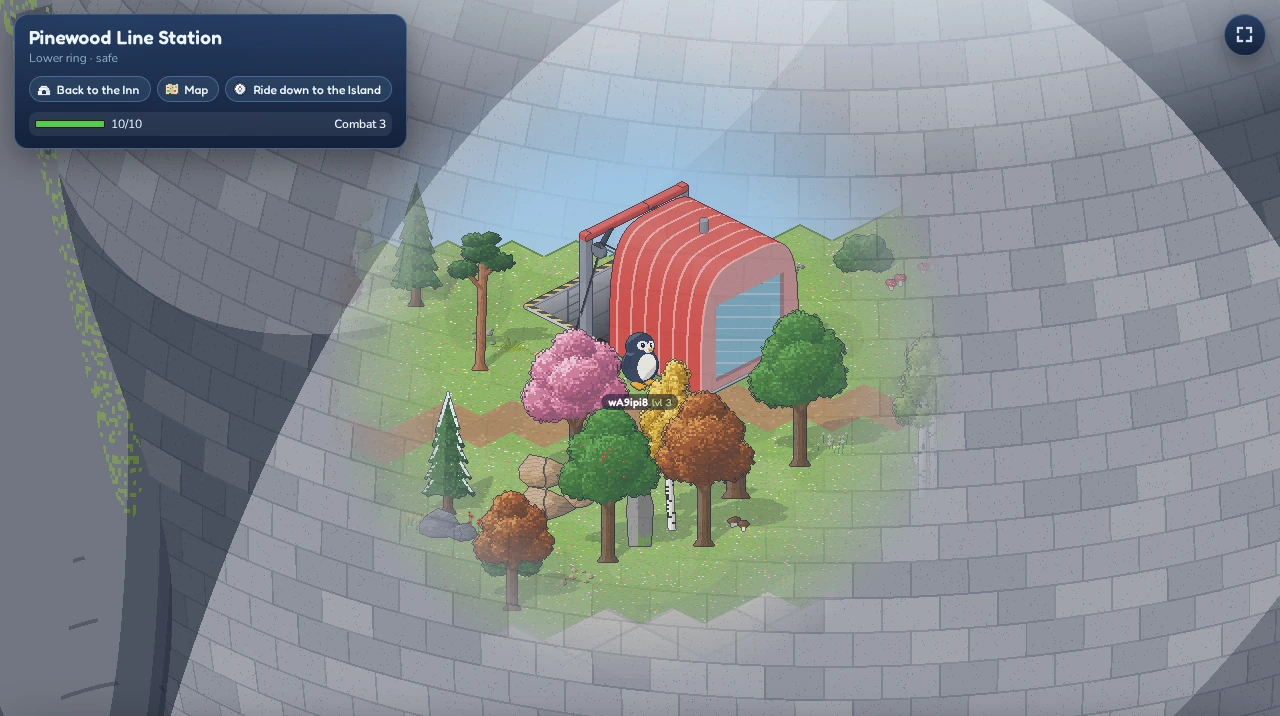
Two rings of land circle the Moon Penguin statue, one round its belly (the Lower Ring) and one round its chest (the Upper Ring). Four free cable car lines join the levels, two from the ground to the Lower Ring and two from the Lower Ring on to the Upper Ring:
| Line | From | To |
|---|---|---|
| Forge Line | the ground | the Lower Ring, beside the blacksmith’s forge |
| Pinewood Line | the ground | the Lower Ring |
| Grand Exchange Line | the Lower Ring | the Upper Ring, by the Isle Grand Exchange |
| Camp Line | the Lower Ring | the Upper Ring, near the Walrus Camp |
No line goes straight from the ground to the Upper Ring: that takes two rides. Every station stands in a small safe zone. Walk into it and click the station, or click Ride up to … or Ride down to … in the box in the top-left corner. You board the next cabin; a cabin seats nine, and the rest take the one after. The ride takes about half a minute, and nothing can attack you on the way.
You get off a rented vehicle to board, and Ride gets you back on at the other end; a kayak has to come ashore before you can board.
When you walk behind the statue, the stone turns see-through round your penguin, so you can still see where you are going.
The map
Click Map in the box in the top-left corner, or press M, to unfold a map of Moon Isle. It opens on the level you are on, and the tabs above it show the Island, the Lower Ring and the Upper Ring. A white ring pulses where you stand.
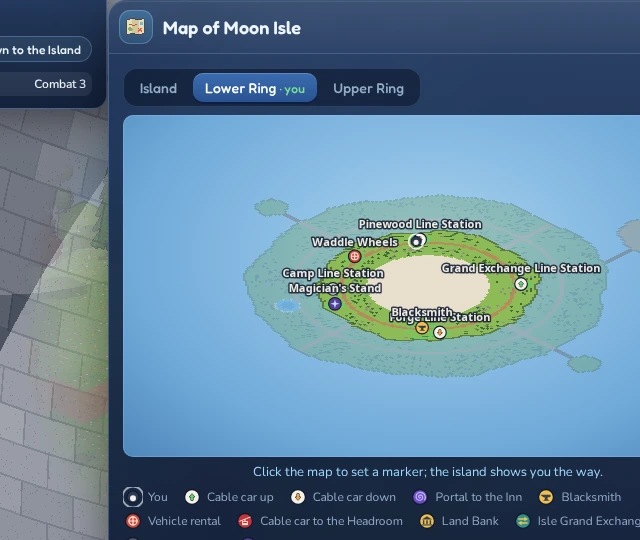
The map shows every cable car station with an arrow, up or down, the portals home, the blacksmith’s anvil, the vehicle rentals and the cable car to the Headroom. Point at a symbol to read what it is and where it leads. Safe places have a green dashed outline, the Moon Arena a red one. Press M again to fold it away.
Setting a marker. Click a symbol or any spot of land on the map to put a red pin there. Back on the island, a yellow arrow beside your penguin points the way and says how far it is, and a red pin stands over the place itself. When the marker is on another level, the arrow turns blue and leads you to the nearest cable car station that goes the right way, and the box in the top-left corner tells you to take the cable car up or down. Walk up to the pin and it disappears; to take it away sooner, click it on the map, press Clear marker, or press the ✕ next to Marker in the top-left box.
Fighting creatures
Moon Isle is not empty. Wild creatures live in the woods, on the shores and up on the rings, and you can fight them to get stronger:
| Creature | Level | Where | |
|---|---|---|---|
| Snow crab | 2 | On the sandy river banks | Leaves you alone |
| Skua | 7 | On grass and in the woods | Attacks penguins who come close |
| Leopard seal | 19 | On the Lower and Upper Ring, away from the paths | Attacks penguins who come close |
| Walrus bandit | 37 | In the Walrus Camp on the Upper Ring | Attacks penguins who come close |
Point at a creature to see its name and level, and click it to attack. Your penguin walks up to it and swings every two seconds until one of you falls, or until you click the ground to walk away. A number over whoever was hit shows the damage; a blue 0 is a miss. A creature that gets hurt or fights shows a health bar, and so does your penguin.
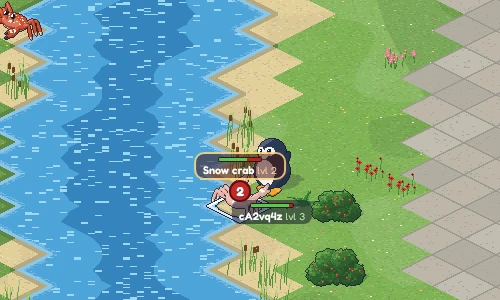
Creatures only attack penguins up to twice their own level, so the skuas soon leave you in peace. None of them live near the portal islets. A fallen creature comes back somewhere near its old spot after a while: a snow crab after about a minute, a walrus bandit after two or three.
Your combat stats
The box in the top-left corner has your penguin’s stats: your name and face with the word Stats, your hitpoints and your combat level. Beside them, the  inventory button opens your inventory and shows how much you carry, for example 3/10 (see Carrying and your cabinet). Click the stats to see your four skills:
- Attack: how often you hit.
- Strength: how hard you hit.
- Defence: how often you are missed.
- Hitpoints: how much you can take.
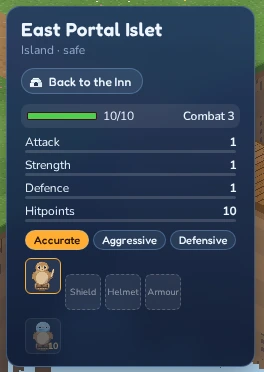
Every hit you land gives you experience. Choose below the skills which one your hits train: Accurate trains attack, Aggressive strength and Defensive defence. Hitpoints always grow along. The more experience, the higher the skill’s level; the thin bar under each skill shows how far it is to the next. Your combat level comes from all four. A new penguin starts at combat level 3 with 10 hitpoints.
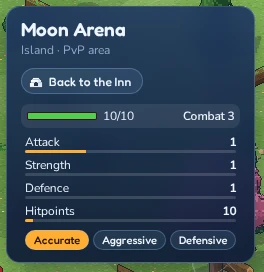
While the stats are folded away, a ⚠ Gear mark appears in the box when a piece you wear is down to 20% or a piece in your bag is broken. Point at it to see which pieces, and click it to open the stats card.
You can earn up to 50,000 experience in your style’s skill each day (UTC). Once you reach it, a message tells you, and fighting gives no more experience until midnight UTC. Creatures you leave hurt don’t heal at once either: they get their strength back bit by bit.
Lost hitpoints come back slowly by themselves, one every six seconds while nothing is attacking you. If they run out, you are knocked out and wake up on a portal islet with full health. You keep all your experience and your worn gear, but what you carry drops round where you fell, and anyone may pick it up in the next 10 minutes (see Carrying and your cabinet).
Gear
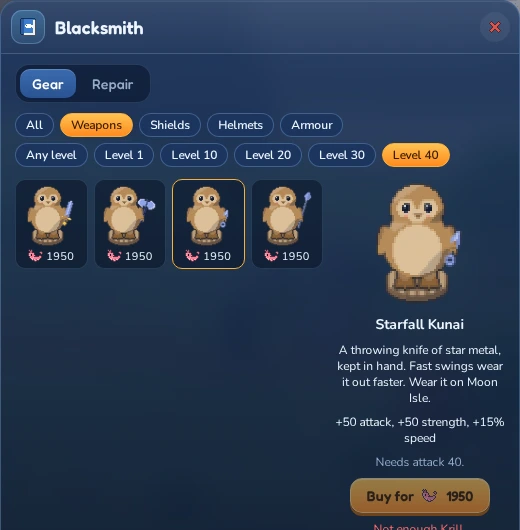
The shop’s Gear section sells weapons, shields, helmets and armour in five tiers: driftwood for anyone, ice from level 10, moonstone from level 20, aurora from level 30 and starfall from level 40. A weapon needs that level in attack, the other pieces in defence. Weapons make you hit more often and harder, the rest makes you harder to hit. The buttons above the list show just one kind of gear or one level.
Each tier has a choice:
- Weapons: a sword is balanced. A spear (or harpoon, trident, halberd, lance) hits more often but lighter, a club (or mace, hammer, tetsubo, greataxe) hits less often but harder. A dagger (or kris, katar, kunai) swings faster, but wears out faster too.
- Armour: a light tunic guards less but hardly wears, heavy plate guards most but wears fast, and the regular armour sits in between.
- Shields and helmets come in two looks each, with the same bonus and price.
Gear also changes how fast your penguin walks. Every penguin starts at 100% speed. A light tunic and a spear add 10% each, a dagger 15%; heavy plate and a club take 10% each away. Swords, regular armour, shields and helmets leave it alone. The fastest a penguin gets is 125% (a dagger with a tunic), the slowest 80% (a club with plate). Your speed shows in the stats card, under the skills, and each piece’s speed change is listed with its bonuses.
Gear stays in your inventory. On Moon Isle, open the stats card: below the combat styles, under Gear, are your five slots (weapon, shield, helmet, armour and neck), with the inventory button beside them, and under Bag every piece of gear in your inventory, each copy on its own, the best kept first. Click a piece in the bag to put it on and your penguin wears it; click a slot to take it off again. What your gear adds shows in green next to your skills, for example Attack 12 +6; your level stays the same, the gear just makes you hit more often or harder, or get hit less. The card also shows your walking speed and how often you swing. A piece you need a higher level for is greyed out with the level on it. Gear you wear is never lost when you are knocked out, but spare gear you carry drops like everything else you carry. You can trade or sell gear like any furni (but not your LUNC Penguin’s, see below). In a room, a piece of gear stands on a carved wooden penguin.
The gear card. Point at a piece of gear in the stats card, your inventory or your cabinet and its card pops up (on a touch screen, press and hold it; tap anywhere to put it away). The shop, the blacksmith and the magician show the same card when you click a piece. It lists what the piece gives, each stat with a small icon (attack, strength, defence, speed, swing, block, dodge and so on), any special effects, its set (see below), its condition and the level it needs: a ✓ if you have it, a ✗ and you have … if not. On Moon Isle the card also compares the piece with the one you wear in that slot (Compared with your Ice Sword, or Into your empty shield slot): a green ▲ marks a stat that would go up and a red ▼ one that would go down, set bonuses you’d gain or lose included. A staff’s card warns you if your shield or heavy armour would have to come off.
Gear sets
Gear of one kind belongs to a set: all the driftwood gear from the shop is one set, all the ice gear another, and so on. A set has four parts: a weapon, a shield, a helmet and armour. Wear pieces from the same set in several of those slots and you get a set bonus on top of what the pieces give themselves. Any piece of the set fills its slot, so a driftwood spear counts as much as the driftwood sword, a cap as much as a helmet.
- Full set. Every set has a bonus for all four parts. The shop sets only have this one.
- Partial bonuses. Some sets already give something for 2 or 3 parts, and the bonuses add up: with all four you have all of them.
- A set’s own staff counts twice. A staff takes both flippers, so a staff that belongs to a set fills its weapon and its shield part. The magician’s staffs belong to no set, so a penguin with one of them can’t complete a set.
- What doesn’t count: neck pieces (they belong to no set), broken pieces and your LUNC Penguin’s own gear. Take a piece off, or let it break, and its bonus is gone at once.
Set progress shows in two places. On the card of a set piece you see the set’s name with how many parts you wear, for example Set: Camp Runner 3/4, and every bonus of the set: those you have are ticked ✓, the rest are greyed out with how many parts they need (2 pieces: …, Full set: …). In the stats card, under your gear’s effects, each set you wear part of is listed the same way.
| Set | Its pieces | 2 parts | 3 parts | Full set (4 parts) |
|---|---|---|---|---|
| Driftwood | the shop’s driftwood weapons, shields, helmets and armour | +2% attack roll vs seals | ||
| Ice | the shop’s ice weapons, shields, helmets and armour | +4% attack roll vs seals | ||
| Moonstone | the shop’s moonstone weapons, shields, helmets and armour | +3% attack roll vs bandits | ||
| Aurora | the shop’s aurora weapons, shields, helmets and armour | +5% attack roll vs bandits | ||
| Starfall | the shop’s starfall weapons, shields, helmets and armour | 5% frost ward | ||
| Camp Runner | Runner’s Shiv or Runner’s Signal Staff, Runner’s Buckler, Runner’s Hood, Runner’s Coat | 2% precise hits | 1% dodge | +3% attack roll vs bandits |
| Camp Enforcer | Enforcer’s Cutlass, Enforcer’s Shield, Enforcer’s Visor, Enforcer’s Brigandine | 5% frost ward | 2% ward | +3% attack roll vs bandits |
The shop sets are sold in the Shop’s Gear section and by the blacksmith. The two camp sets can’t be bought: the bandits at the camp raid drop their pieces now and then, and you can trade for them or buy them at the Grand Exchange. The shiv and the signal staff are both Camp Runner weapons, so wear one of them; with the signal staff and the hood you already have three parts.
Your LUNC Penguin’s gear
If you wear a LUNC Penguin, its armour, helmet, weapon and shield are real gear on Moon Isle. They come into your inventory as soon as you put the penguin on, and your penguin wears them wherever a slot is free. How strong they are depends on the penguin’s rarity:
| Rarity | As strong as |
|---|---|
| Common | driftwood gear |
| Uncommon | ice gear |
| Rare | moonstone gear |
| Epic | aurora gear |
| Legendary or Unique | starfall gear |
No level is needed: a Legendary penguin fights with starfall gear from the start. The trait decides the kind, just like in the shop: a trident fights like a spear, a mace like a club, a knife like a dagger, a toga is a light tunic and samurai armour heavy plate.
You can put bought gear on instead; the penguin’s piece then waits in your inventory until you put it on again. It wears out and is mended at the blacksmith like any gear, and never costs more to mend than the shop piece it matches. It can’t be sold, traded or placed in a room: it belongs to the penguin. Take the penguin off (or sell it) and its gear goes with it, and whoever wears that penguin next gets it as it is, worn or not. A broken piece still shows on your penguin, so it keeps its look, but grey and cracked, for everyone to see until the blacksmith mends it.
Wear and the blacksmith
Gear wears out slowly while you fight: a weapon with every swing, a shield, helmet or armour every time a creature swings at you. The thin bar under each piece in the stats card, your inventory and your cabinet shows how much is left: green, amber from half worn, red once it’s down to 20%, and red with stripes when it’s broken. Point at it for the exact condition (a piece close to breaking shows <1%); the gear card shows it too. A piece lasts a few hours of fighting at its full bonus. Then it breaks: it comes off, and you can’t put it on again until it is mended. It stays in your inventory, or goes into your cabinet if your paws are full, and is marked Broken there. While it’s broken it gives nothing at all, not even to a set.
You get a warning before that happens: once when a piece is down to 20% (Your Driftwood Sword is wearing thin (20%)) and again at 5% (nearly worn out). When it breaks you hear it crack and get a message too, and if you come to the island with a broken piece you’re told it stays off. Each of these messages has a Show the smith button: it marks the blacksmith on your map and opens the map there, and the island shows you the way.
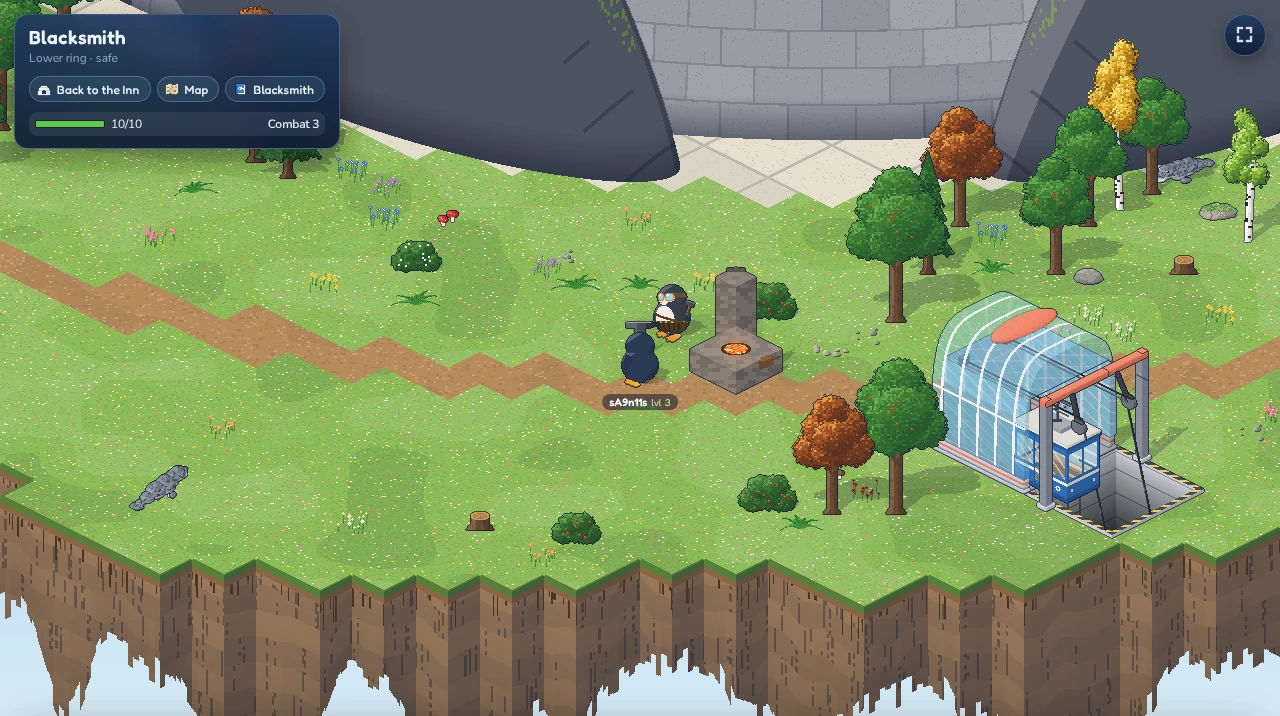
The blacksmith works on the Lower Ring, right by the upper station of the Forge Line, and the yard round the forge is safe from creatures. Take the Forge Line up from the ground: its lower station is the one straight in front of the statue (below it on the screen), with an anvil near it. Walk up to the forge and click Blacksmith in the box in the top-left corner:
- Gear sells the same gear as the inn shop, at the same prices.
- Repair lists your worn gear. Mending a broken piece costs 15% of what it’s worth (for bought gear, its shop price), a less worn one less. Click the price to mend one piece, or Repair all.
The magician’s ice staffs
A staff casts ice bolts instead of swinging, so you can hit a creature from a few steps away, as long as nothing stands in the way. The magician on the Lower Ring sells three, and nobody else does:
| Staff | Attack level | Reach |
|---|---|---|
| Frostwood staff | 15 | 2 tiles |
| Moonglass staff | 30 | 3 tiles |
| Glacier staff | 45 | 4 tiles |
A staff takes both flippers: you can’t hold a shield with it or wear heavy armour (the plate that slows you down). Take those off first. Bolts never leave a safe area, so you can’t shoot out of one. The blacksmith mends staffs like any other weapon. Find the magician’s stand on the Lower Ring, well away from the blacksmith, and click Magician in the box in the top-left corner.
Charmed neck pieces
The magician also sells six neck pieces for the neck slot, from a 20 Krill scarf to a 1,320 Krill amulet. Each gives one small boon, a little more speed, attack or precision, protection against fire or frost, or an edge against seals, and most take a little in return, shown in red: read the red line before you buy. A drawback only takes from what your other gear gives and never pushes a bonus below zero. Finer neck pieces are not sold at all: bandits at the camp raid, leopard seals, skuas and snow crabs carry them now and then. The blacksmith mends neck pieces like any other gear.
Furniture from creatures
Now and then a fallen creature leaves a piece of furni on the ground, next to any gear it drops. Any signed-in penguin may pick it up, so be quick. Most of it is furni the Shop sells too, but some pieces can’t be bought anywhere: a crab-shell lamp from the river banks, a skua’s nest, a walrus tusk trophy from the camp and more. The tougher the creature, the better the chance; the bandit chief at the camp raid often carries one. During a seasonal event, some creatures carry pieces that only drop while it is on.
Furni you find is yours like any other: place it in a room, trade it or put it up at a market stall. The walrus doesn’t buy it, though. See The Grand Exchange.
Fighting other penguins
In the Moon Arena you can fight other penguins. Click a penguin there to open their card and click Attack: your penguin walks up and swings at them just as at a creature, and a penguin who is attacked while standing around hits back. The fight only goes on while you both stand inside the arena, so walking out over a bridge ends it. Penguins of your own clan can’t be attacked; their card says so instead. Guests can’t fight other penguins, and nobody can attack a guest.
When you step into the arena, you get a short shield: for 10 seconds nobody can attack you, and a little blue shield with the seconds left shows by your name. It goes as soon as you attack someone yourself, even if you only click Attack on them.
Whoever runs out of hitpoints is knocked out and wakes up on a portal islet with full health, as after a creature fight. You keep your worn gear and your experience, but what you carry drops round where you fell, one thing to a spot, and anyone may pick it up in the next 10 minutes. Gear wears from player hits too, and a piece that breaks in the fight comes off, so it is carried and drops with the rest. Fights between penguins give no experience.
Clans
A clan is a group of LUNC Penguin holders. There are nine: Assassins, Crusaders, Fire Clan, Heskels Blood Knights, Ice Clan, Penguardians, Shadow Realm Ex Communicado, Tempered Knights and Templars. A penguin’s clan is written onto the NFT itself, on the Terra Classic chain, so it stays with the penguin when it is sold or sent.
On Moon Isle you belong to the clan of the LUNC Penguin you wear: put on one of your clan’s penguins and you carry its clan. Your look and your clan always come from the same penguin, so wearing another penguin also changes your clan, and going back to your classic look leaves the clan. You need a linked Terra Classic wallet that holds the penguin, so guests can’t carry a clan.
Everything about clans is in the  Penguin window, on its Clan tab, the last one, after the Look tab where you pick your look. It works at the Inn too. At the top you see the clan you carry, with its banner and your rank.
With a clan, your clan’s name and rank show under your name, next to a small flag in the clan’s colours. On Moon Isle two switches at the top of the Clan tab decide what others see, each on its own:
- Show my clan under my name: on to begin with. Switch it off to keep your clan out of your name tag.
- Carry the banner on my back: off to begin with. Switch it on and the clan’s banner flies on a pole above your penguin, for everyone to see.
Both only change what others see: you stay in your clan, with its chat and its allies, either way. The game remembers your choices for each penguin separately.
The Clan tab has these parts:
- Chat (on Moon Isle, with a clan): talk to every clanmate on the island, wherever they are. You can also type
/cand your message in the chat box. New lines show as a number on the Penguin button. - Out now (on Moon Isle, with a clan): who of your clan is on the island right now, with rank, place and combat level.
- My penguins: all your LUNC Penguins with their clan and rank. Wear one to carry its clan, Take off to go back to your classic look. You can only switch at the Inn, not on Moon Isle or during a trade. A penguin without a clan has Join a clan; a Loyalist has Leave….
- All clans: every clan with its members (at most 500), its join fee, its members by rarity and its treasury.
- Rewards: what your penguins collected from their clans, ready to claim.
- Leader: only if you hold a clan’s Leader penguin.
Joining, leaving and rewards
Joining, leaving and claiming happen on the chain, so you confirm each one in your Terra Classic wallet, like a trade at the Penguin Exchange: in its browser extension (Station, Keplr, Leap or another) or in its phone app over WalletConnect. It must be on the wallet that holds the penguin. After you confirm, the Clan tab shows Sent… Waiting for the block and then Done, with a link to the transaction in the explorer.
- Join a clan: open All clans, pick the penguin in the list next to a clan if you have more than one without a clan, and click Join with #…. You pay the clan’s join fee in LUNC, which goes to the clan’s treasury, plus the network fee. Your penguin joins as a Loyalist. Each penguin can be in one clan, and a full clan takes nobody new. If the fee changed just before, the game stops and shows the new fee, so you never pay more than you saw.
- Leave a clan: in My penguins, click Leave… and then Leave with the clan’s name. Leaving is free, but joining again costs the join fee. Only Loyalists can leave; a Leader, War Chief, Lieutenant or Enforcer stays in the clan.
- Claim rewards: clans share out LUNC to their members’ penguins, more for rarer ones. Rewards shows what is waiting, per wallet and clan; Claim sends all of it to that wallet.
- Set the join fee: if you hold a clan’s Leader penguin, the Leader tab shows what joining your clan costs. Type a new fee in LUNC and click Set fee.
If you wear the penguin that joined or left, your clan changes right after the transaction is confirmed.
Clanmates never fight each other in the arena. If you sell the penguin you wear, it comes off and you lose its clan within ten minutes.
Aura penguins
Some LUNC Penguins glow: their body trait is the aura. A penguin wearing one shares part of its gear’s special effects with the clanmates around it: precision, block, dodge, ward, bane, frost ward and fire ward, set bonuses included. The closer they stand, the more they get:
| Tiles away | Share |
|---|---|
| 1 (or the same tile) | 25% |
| 2 | 20% |
| 3 | 15% |
| 4 | 10% |
| 5 | 5% |
Only penguins of the same clan on the same level get it: a penguin without a clan, or of another clan, gets nothing, and neither does the aura penguin itself. The aura penguin must be on its feet; knocked out, it shares nothing. With several aura penguins nearby, each effect comes from the strongest one, so auras don’t add up. Bolt (a staff’s extra reach) is not shared, and what you get still counts toward the usual caps. It works everywhere on Moon Isle, in the arena too.
Your gear stats show only your own gear; the aura comes on top in the fight.
Igloo homes
The outer part of the Upper Ring is the Igloo Terrace, a snowy village of building lots along little streets. Holders of a Land Deed, an NFT on Terra Classic, can build an igloo home there: one igloo for each deed, for good.
- Link the Terra Classic wallet that holds your deed (see Linking a wallet).
- Click
 Igloo home in the toolbar. The window lists your Land Deeds with their rarity: the rarer the deed, the bigger the lot (4×4 up to 9×9 tiles), the room inside (10×10 up to 20×20) and the more igloo looks to choose from. The deed’s resources add trims to the igloo, and a ⭐ deed’s igloo sparkles and flies a flag.
 - Pick a free lot of the deed’s size on the little map of the terrace, or click Nearest to me while you stand on the Upper Ring. Pick a look.
- Click Build igloo, then Build on lot … for good. The lot can’t be changed later, but the look can.
Inside, your igloo is a room like your rooms in the inn: furnish it, lock it, give it a password or build rights. Walk up to an igloo’s door to step in. Go home in the Igloo home window puts a marker on your igloo’s doorstep, so the arrow leads you there. Each igloo shows its name and home of its owner above the dome, and the map marks your own igloo with a gold house.
The daily harvest and the workshop
Each built igloo yields its deed’s resources once a day:  wood,
wood,  stone,
  quartz,
  cotton and
  ore. The Igloo home window shows today’s harvest under each deed; click Harvest to collect it. The rarer the deed, the more it gives, and a ⭐ deed gives one more of each. A new harvest is ready every day at midnight UTC.
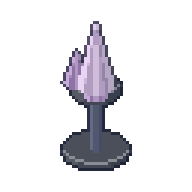
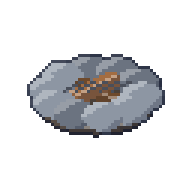
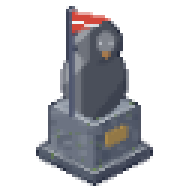
Click Open the workshop in the Igloo home window to turn resources into land furni, which the shop doesn’t sell. Each one costs resources and a small fee in Krill:
| Furni | Made from | Fee |
|---|---|---|
| Settler’s Log Bench | 6 wood, 2 stone | 10 |
| Cotton Hammock | 6 cotton, 4 wood | 15 |
| Quartz Lamp | 4 quartz, 2 ore | 15 |
| Fieldstone Hearth | 8 stone, 3 ore | 20 |
| Quartz Fountain | 6 quartz, 6 stone | 25 |
| Pioneer Statue | 8 ore, 4 stone | 30 |
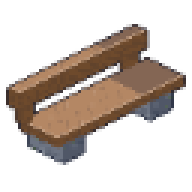 Settler's Log Bench
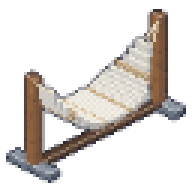 Cotton Hammock
 Quartz Lamp
 Fieldstone Hearth
 Quartz Fountain
 Pioneer Statue
Keep them for your igloo or sell them at the Grand Exchange (up to 2,000 Krill); the walrus dealer doesn’t buy them. Spare resources sell to other penguins at the Isle Grand Exchange on the upper ring, and that’s also where to buy what your deed doesn’t grow. Ore also pays the blacksmith: under Repair, click the ore price next to a piece’s Krill price to mend it with ore instead, one ore for every 10 Krill.
Tip jars and prize pots
Two pieces of shop furni only work in igloos:
- A
 Tip Jar lets visitors thank the igloo’s owner. Click it and pick an amount (up to 1,000 Krill); the Krill go straight to the owner, and the jar thanks you in the room.
 - A Prize Pot puts Krill on one of the igloo’s games: the belly-slide race, a snowball fight, bowling, snooker or bingo (the igloo needs that game’s furni). The owner clicks the pot, picks the game, an entry fee and their cut (up to 20% of the entry fees), and clicks Open the pot; they can also add Krill of their own. Visitors click the pot and Enter before the next round. Whoever wins that round against at least one other player takes the pot, less the owner’s cut, split if there are several winners. If no entrant wins, the pot carries over to the next round. Closing or picking up the pot gives every entrant their fee back.
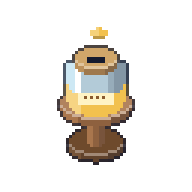 Tip Jar
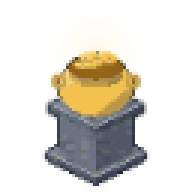 Prize Pot
The igloo ranking
On Moon Isle the  Rooms button opens the Igloos window instead, and its Ranking tab lists the 50 igloos with the most different visitors over the last seven days, with the Krill tipped there. Click one and a marker leads you to its door. Each visitor counts once per igloo, however often they come; owners visiting their own igloo and guests don’t count.
The Land Bank and the Land Pool
1% of every fee the inn takes goes into the Land Pool: what you spend in the shop, cable car fares, vehicle rents, the blacksmith’s repairs, workshop fees and the Grand Exchange’s market fee. Each fee is shared out the moment it is paid, among the igloos on the terrace that someone lives in, more for bigger, rarer lots (a legendary igloo has ten times the share of a common one). Your igloo only shares in fees paid while you live in it: building or buying an igloo doesn’t bring you a share of what came in before.
Collect your share at the  Land Bank, the marble hall on the north side of the Upper Ring, just inside the Igloo Terrace’s ring of lots. Walk up to it and click Land Bank in the box in the top-left corner: the window lists your igloos with what each has ready, and Collect pays it all into your Krill. Your share keeps adding up until you collect it. A single fee brings only a little (1% of a 10-Krill cable car ride is a tenth of a Krill, shared among the igloos), and the bank shows whole Krill: the bits are kept and show up once they make a whole one. If you sell or send your deed, what its igloo earned while it was yours stays yours: the bank lists it under From igloos you used to live in, and Collect pays it with the rest.
Kayaking and the river race
A wide river runs in a ring round the Moon Arena, under four bridges. You can’t swim, but you can paddle: buy a kayak in the shop (in the Decor section) and keep it in your inventory. A kayak standing in one of your rooms stays there; only kayaks in your inventory come along.
Walk to the river bank until your penguin stands right next to open water. Launch kayak then shows in the box in the top-left corner. Click it, and your penguin sits in the kayak on the water.
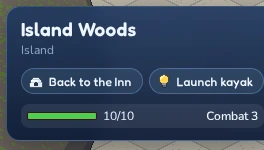
While paddling, click the water to go there. A kayak is twice as fast as a waddling penguin and can glide under the bridges. Click the bank to get out there, and your penguin walks on to the spot you clicked. Get out in the top-left box does the same right where you are, if land is next to you. Creatures leave paddling penguins alone. Your kayak always stays yours: it goes back into your inventory when you get out, and if you leave the island while paddling, you come back on the bank you set off from.
The river race
Red and white start buoys with chequered flags float in the river just north of the east bridge. Paddle in between them and a panel shows up: it waits for a second kayaker, then counts down, and the race is on.
Paddle once round the ring, clockwise, under the south, west and north bridges (yellow buoys mark them), and back under the east bridge to finish. The panel tells you which bridge is next and how far round everyone is. The first three win 10, 5 and 2 Krill (up to 40 Krill a day), as long as at least two penguins raced. Click Leave to give up; you stay in your kayak.
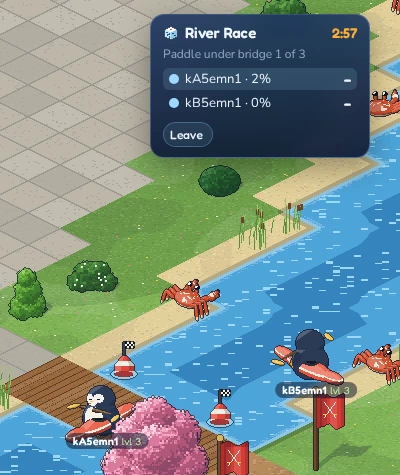
Every finished lap counts for the weekly board: the five fastest racers of the week (from Monday), each with their best lap, show in the panel at the start buoys, and the result note tells you when you beat your own best.
Renting a vehicle
Why waddle when you can ride? Two shops hire out vehicles by the day, for Krill:
- Waddle Wheels, the red-and-white stall on the west side of the Lower Ring, has a kick scooter, a bicycle, a moped, a go-kart, a jet ski and a hover sled.
- Frostline Rentals, the blue-and-white stall on the Igloo Terrace south of the fountain, has a sled, skis, a snowboard, a dog sled, a quad bike and a snowmobile.
Both are marked on the map. Stand by the stall and click Rent a vehicle in the box in the top-left corner. The list shows what each vehicle costs a day and how fast it is on snow, on paths, on grass and on water compared with walking. Some only go on one kind of ground: skis and the snowboard need snow, the go-kart keeps to paths and bridges, the jet ski is for the water. Rent hires a vehicle for 24 hours; +1 day adds another day, and the list shows how much time is left. Wearing a LUNC Penguin, you rent for 10% less (rounded down, so 9 Krill instead of 10); the list shows the full price struck through beside yours.
Once you have hired something, Ride in the top-left box gets you on (with several, pick one from its list). Click where you want to go as usual. If the vehicle can’t go all the way, your penguin rides as far as it can, gets off and walks the rest. Get off puts you back on your feet. The jet ski is launched from the bank like a kayak, and the hover sled glides straight over water. A cable car doesn’t take your vehicle along: you get off to board (for the Headroom, click Get off first), the hire runs on, and Ride gets you back on after the trip.
A rental is yours alone: it can’t be traded, sold or put in a room, and it never runs out of fuel or wears out. You can ride wherever you like on Moon Isle, except into the Moon Arena; you get off at its edge. You can’t fight while riding, and a creature’s hit knocks you off. When a rental ends, your penguin gets off and walks on.
The cable car
On the Upper Ring, by the Fountain Plaza, a red-roofed station sends cabins up a cable over the water into the Moon Penguin’s head. Up there is the Headroom, a party lounge with a stage, a jukebox, a DJ desk, a disco floor and a bar. The cable car is the only way in: you won’t find it in the room list.
The cable car is for LUNC Penguin holders: link the Terra wallet that holds your penguin to your account first. No penguin yet? Clicking Ride up tells you so, with a Go to the Penguin Exchange button: it marks the way to a portal back to the Inn, where the Penguin Exchange room’s terminals sell LUNC Penguins.
Stand at the station and click Ride up in the box in the top-left corner. A ride up costs 10 Krill. Your penguin steps into the next cabin, and the box counts down until it leaves and until it gets to the top. You ride the whole way up over the water, and everyone around sees you in the cabin’s window. At the top you walk straight into the Headroom.
To come back, click Ride down in the Headroom’s box. The ride down is free: you wait on the top platform for the next cabin, ride it down and step off at the station.
Chatting on Moon Isle
Chatting works as in a room: type into the chat box and press Enter. On the island, though, only penguins near you see what you say. A shout (start your message with !) carries further, and whispers (/w name message) reach a penguin near you. Gestures such as waving and dancing work too.
Every penguin on Moon Isle wears a name tag with their combat level, so you can tell who is who even in the woods. Click a penguin to open their card, just like in a room.
Going back to the inn
Walk onto the glowing portal on either portal islet, and you are back in front of the inn. To find the nearest one, click Back to the Inn in the box in the top-left corner: it puts a marker on that portal, and from a ring the arrow leads you to a cable car down first.
There is no jumping home: the Rooms window doesn’t take you off the island, and the inn’s rooms only open once you have walked through a portal.