

Trading
Got three Ice Stools and want a Snow Globe, or a spare cutlass for a better helmet? Trade! You can swap furni, gear and Krill with any penguin in the same room. Trades are safe: nothing changes hands until both of you have looked at the final offers and confirmed them.
A brand-new account can receive in a trade from its first day, but can only give items or Krill once it is a week old. The same goes for market stalls (buying and selling), tip jars and prize pots.
Starting a trade
- Make sure you’re in the same room as the penguin you want to trade with. Any room works: a public room, an Inn room, an igloo or the Grand Exchange. Out on the open map you can’t trade; meet inside first.
- Click them to open their card.
- Click Trade.
The trade window opens for both of you at once. Its title says who you’re trading with, for example Trade with Mika.
Trading needs a wallet: guests can’t trade, and you can’t open a trade with a guest. See Keeping a guest penguin.
Building your offer
The trade window has two halves: Your offer on the left and what your partner offers on the right. Both update live as you make changes.
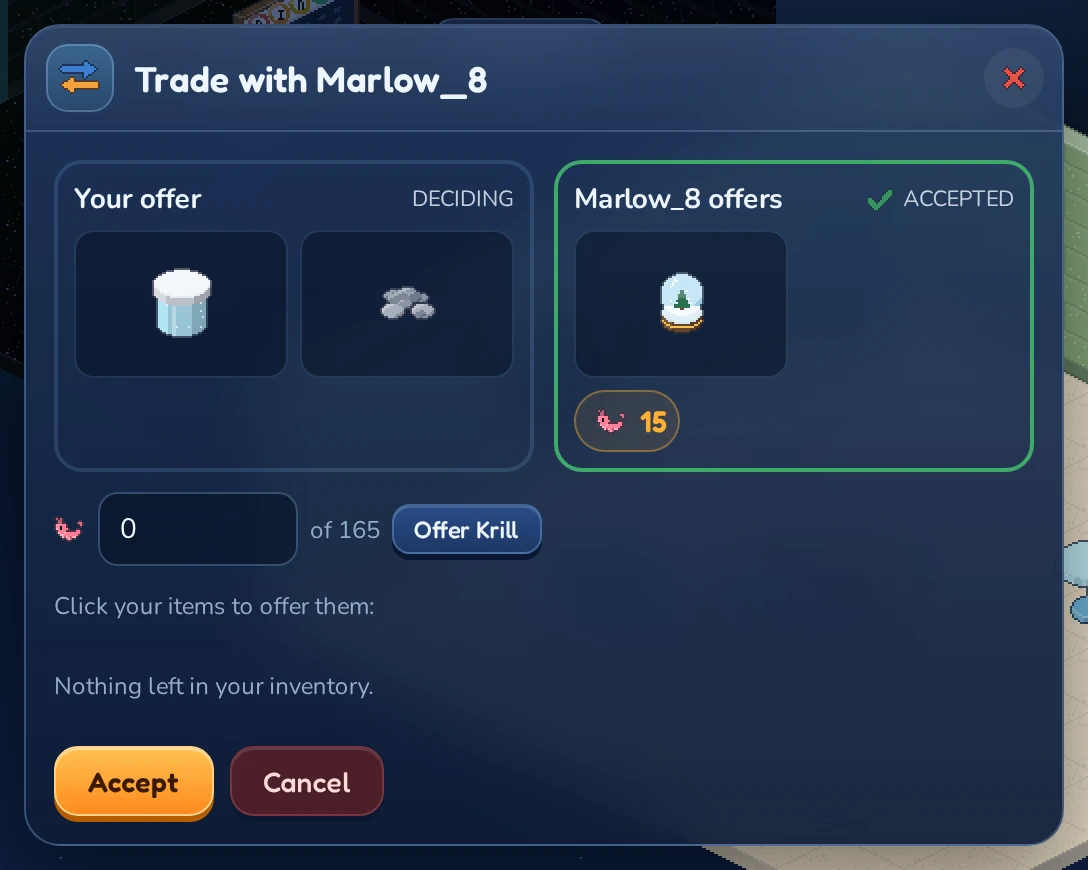
- Add items: under Click your items to offer them: you see the furni and gear in your inventory. Click an item to add it to your offer.
- Take items back: click the item in Your offer to remove it again.
- Add Krill: type an amount into the
 box (it shows how much you have, of 480 for example) and click Offer Krill. Set it back to 0 to take the Krill out again.
You can offer up to 20 items in one trade. Only what your penguin carries can be traded, so pick up anything you want to trade from your rooms and take it out of your cabinet first. While an item is in a trade, you can’t place it in a room.
Gear trades like furni, worn or not: a piece your penguin wears comes off when the trade completes. Its wear goes with it, so check the condition before you accept. LUNC Penguin gear (the pieces that come with an NFT penguin’s traits) stays with its penguin and can’t be traded.
Accepting and confirming
A trade is completed in two steps, so nobody can be tricked by a last-second change.
Step 1: Accept. When you’re happy with both offers, click Accept. Your side is now marked accepted with a  . If you change your mind, click Unaccept.
If either of you changes the offer in any way, both accepts are cleared and you both have to accept again. That way you always accept the offers exactly as you see them.
Step 2: Confirm. As soon as you’ve both accepted, the window changes. The item picker disappears and the window asks you to Check the offers once more, then confirm.
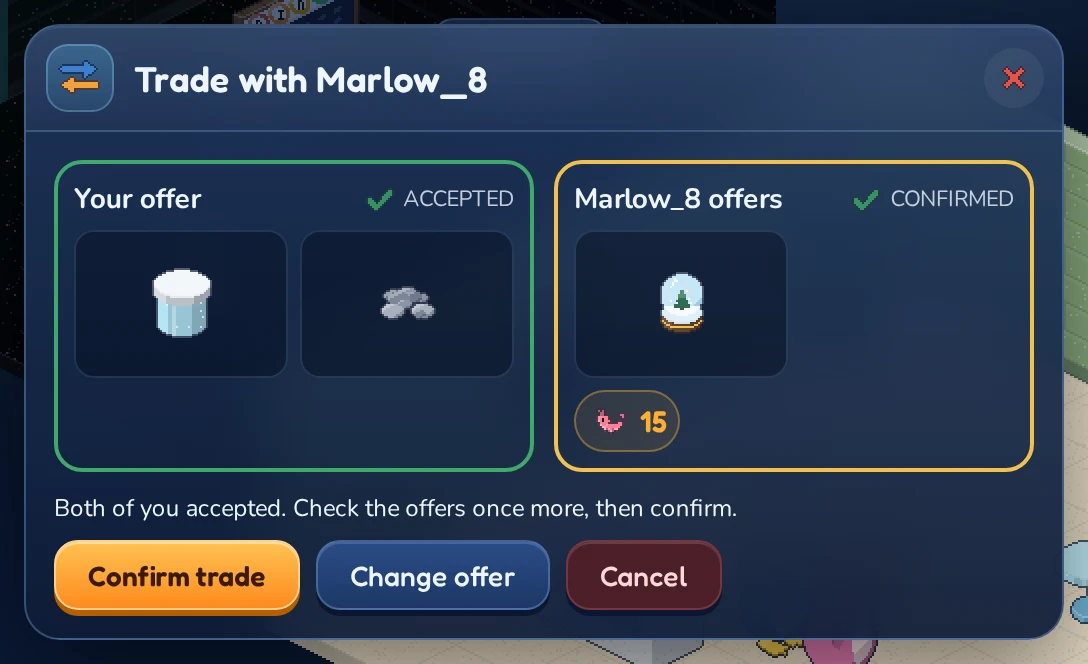
- Click Confirm trade to seal the deal. The button then says Waiting for partner… until the other penguin confirms too.
- Click Change offer to go back to step 1.
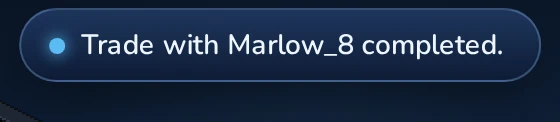
When both of you have confirmed, the furni and Krill swap places in one go and you both see Trade with (name) completed.
Cancelling
Click Cancel at any time before both of you confirm, or close the trade window. Nothing is swapped and everything stays where it was. The trade also ends if one of you leaves the room.
| Message | What happened |
|---|---|
| Trade with (name) completed. | Everything was swapped. |
| The trade was cancelled. | One of you cancelled. Nothing was swapped. |
| The trade ended: (name) left. | Your partner left the room. Nothing was swapped. |
| The trade failed. Nothing was swapped. | Something on offer was no longer there, for example the Krill had been spent. |
Trading safely
- A trade is all or nothing: either everything is swapped or nothing is.
- Nobody can change an offer during the confirm step without sending both of you back to step 1.
- Never agree to “give first, I’ll pay you later” deals outside the trade window. Inside the window, both sides are protected; outside it, you have to rely on trust.