

Rooms and the Navigator
Waddle Inn is made of rooms. Some belong to the Inn and are always open; many more are built by players like you. The Navigator is your guide to all of them.
Opening the Navigator
Click  Rooms in the toolbar, or Other rooms on the room card in the top-left corner. In the Inn, the Navigator opens in the Rooms window, with four tabs along the top (on Moon Isle it lists igloos instead; see The igloo ranking):
| Tab | Shows |
|---|---|
| Public | The Inn’s own rooms. They are open to everyone. |
| Popular | Player rooms that have penguins in them right now, so you can find where the fun is. |
| My rooms | Rooms you own, and the button to make a new one. See Your own rooms. |
| Search | Finds player rooms by room name or by the owner’s name. |
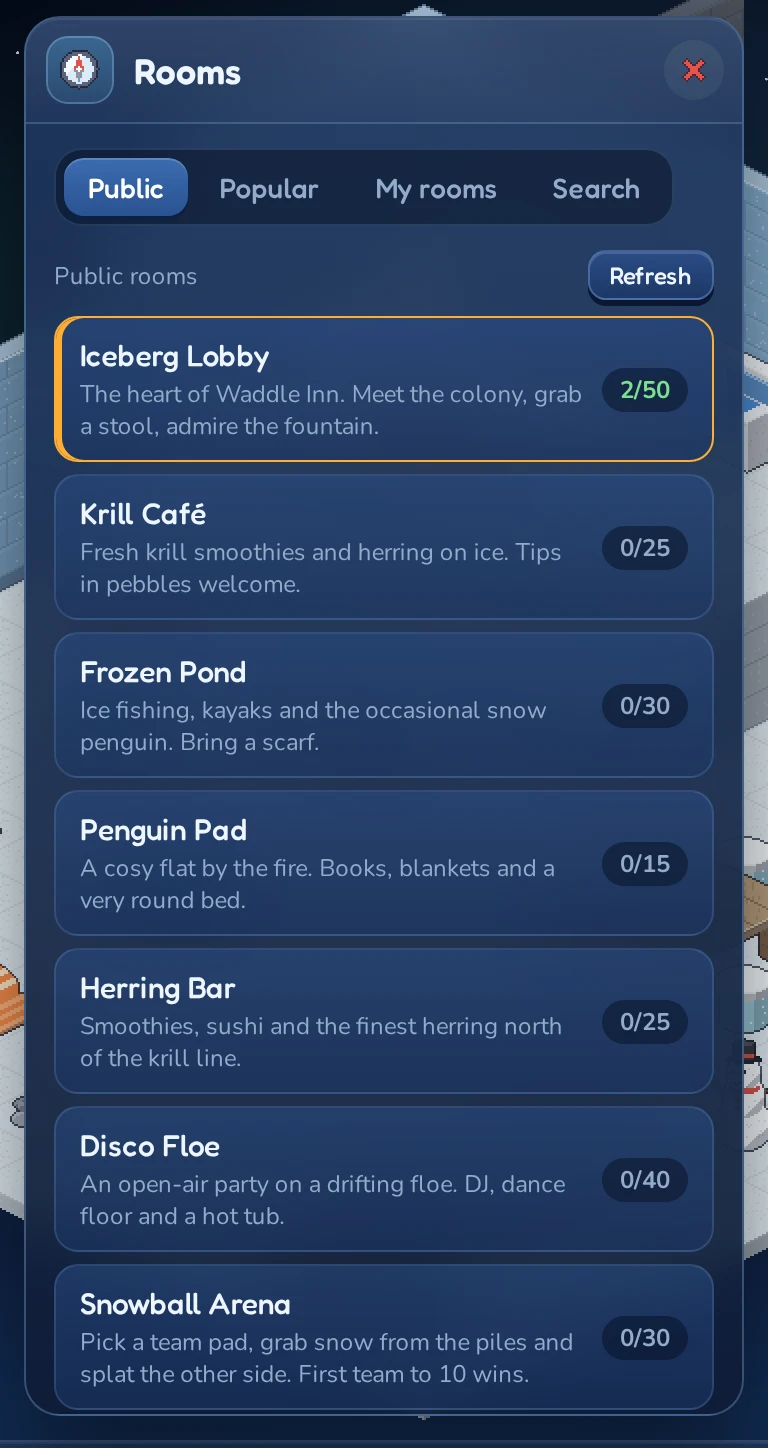
Each line in the list shows:
- the room name, with
 if the room is locked or
  if it needs a password;
 - who owns it (for player rooms) or a short description (for public rooms);
- how many penguins are inside and how many fit, for example 3/25. The number is highlighted when the room is busy and again when it’s full.
The room you’re in right now is marked in the list. Lists don’t update on their own; click Refresh to see the latest numbers.
Entering a room
Click a room in the list. The Navigator closes and your penguin appears at the room’s door. An igloo is different: a marker shows the way to its door, and you walk in from there. You can only be in one room at a time, so you leave your old room automatically.
To get back to the Iceberg Lobby from any of the Inn’s rooms, click  Lobby on the room card in the top-left corner. From Moon Isle, go back through a portal first (see Going back to the inn).
You can also walk in from outside: click Inn on the room card to step out in front of the Inn, then click a door or window. See Outside the Inn.
If a room has reached its limit, you see this room is full. Try again a little later, or ask a friend inside to let you know when there’s space.
The public rooms
These rooms belong to the Inn and are open to every penguin:
| Room | What’s there |
|---|---|
| Iceberg Lobby | The heart of Waddle Inn. Benches, a fountain, a big feast table, right behind the main door. |
| Krill Café | Fresh krill smoothies and herring on ice, and a snooker table. See Mini-games. |
| Frozen Pond | Ice fishing, kayaks and the occasional snow penguin. Bring a scarf. See Ice fishing. |
| Penguin Pad | A cosy flat by the fire. Books, blankets and a very round bed. |
| Herring Bar | Smoothies, sushi and the finest herring north of the krill line, and a Quiz Puffin. |
| Disco Floe | An open-air party on a drifting floe, with a DJ, a dance floor, a hot tub and two fish machines. |
| Snowball Arena | Two teams, piles of snow and a lot of splatting. See Snowball fight. |
| Belly Slide Run | A three-lap race track round the room, gates and boost ice included. See Belly-slide race. |
| The Grand Exchange | The second-hand market: buy and sell furni at the stalls, or sell it to the walrus dealer. See The Grand Exchange. |
| Krill Bowl | The bowling cellar, with four lanes and a snack bar. See Mini-games. |
| Penguin Exchange | The trading floor for LUNC Penguins: buy, sell, make offers on and send them with your own Terra Classic wallet. See Trading LUNC Penguins. |
Public rooms can’t be changed by players, and nobody can place furni in them.
The staff
Some public rooms have a penguin who works there. They stroll around, wave and say hello when you come in and answer when you talk to them in the chat:
| Room | Who | Try saying |
|---|---|---|
| Iceberg Lobby | Concierge Waddles | hello, I’m lost, how do I earn krill? |
| Krill Café | Barista Bree | a smoothie please |
| Frozen Pond | Old Haddock | any fish today? |
| Herring Bar | Chef Kipper | some herring please: the chef goes back to the stove and turns it on |
| Disco Floe | DJ Floe | play a song, or just dance along |
| The Headroom | DJ Moonbeam | play a song, how do I get down? |
Staff penguins aren’t players: you can’t befriend, trade with or message them, and they don’t count towards the number of penguins in a room.
Rooms next door
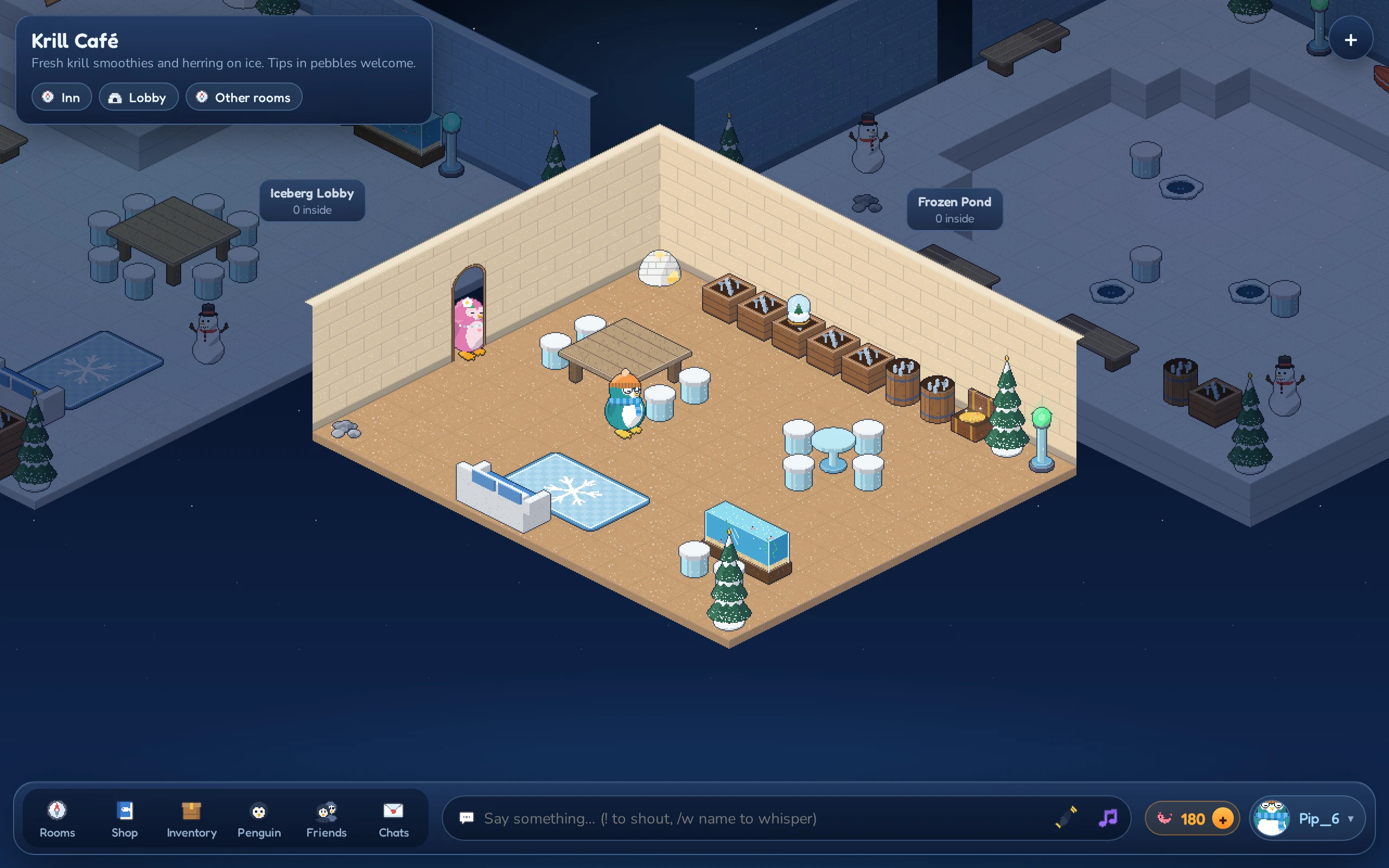
Behind the walls of the room you’re in you can see the rooms next door, a little darker and without the penguins in them. Public rooms sit next to the public room before and after them in the list; player rooms sit next to other player rooms, and an igloo home next to the igloos beside it on the terrace. A tag over each one shows its name and how many penguins are inside.
Click a neighbouring room or its tag to go there. For a neighbouring igloo you step outside, and a marker leads you to its door. The usual rules still apply: locked rooms, passwords and full rooms work just as they do from the Navigator. You don’t see the furni inside locked or password rooms from next door.
Searching for a room
- Open the Navigator and click the Search tab.
- Type part of a room name or an owner’s name into the box (it says Room or owner name).
- Press Enter or click
 .
.
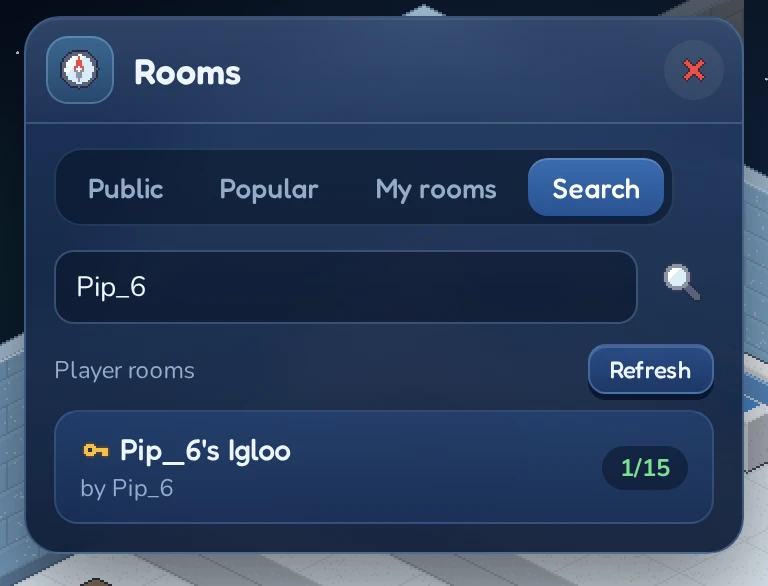
Search only covers player rooms. The Inn’s own rooms are always on the Public tab.
Locked rooms and passwords
Room owners decide who may come in. A player room can be:
| Door | Icon | Who can enter |
|---|---|---|
| Open | Everyone. | |
| Locked | |
Only the owner and penguins with rights in the room. Everyone else sees this room is locked. |
| Password | |
Anyone who knows the password, plus the owner and penguins with rights. |
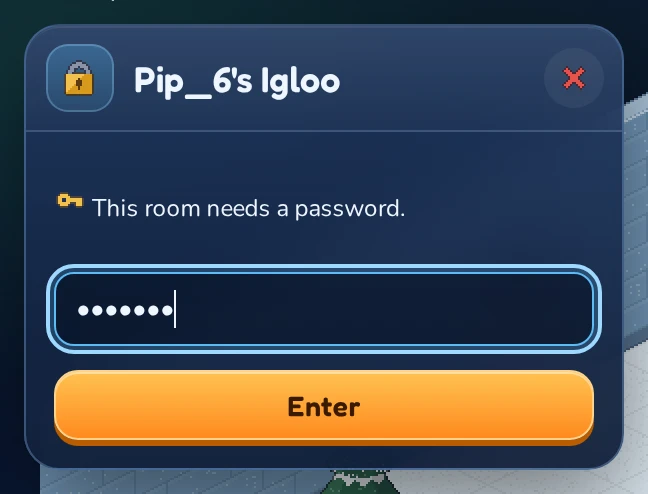
When you click a room that needs a password, a small window with the room’s name opens and tells you This room needs a password. Type the password and click Enter. If it’s wrong, the inn says so and you can try again.
If an owner deletes a room while you’re inside, you’re sent back out and the inn tells you why. Locking a room only stops new visitors; anyone already inside can stay.
Following friends
You can also jump straight into the room a friend is in, using the  Follow button in your friends list. See Following a friend.